The Benefits of a Pinterest Business Account vs Personal Account
Are you using Pinterest for business? Are you still using your personal Pinterest account? Whilst creating and sharing pins for your business from your existing personal Pinterest account might seem like the simple solution here, there are several benefits to having a dedicated business account when leveraging Pinterest for business:
- Get Insights and Analytics on your Pins. Use this information to your advantage, seeing what pins are performing best, when, where, and who with. See if you're hitting your target audience or even discover new audiences that you hadn't considered before.
- Promote Pins and Run Ads. Because Pinterest is essentially a visual search engine, its ad-targeting options have serious potential for marketing to those users that may be researching a future purchase. Pinterest ads can be a game-changer for those selling products online.
- Rich Pins. These pins use additional metadata from your site and make it available to the user on Pinterest. There are three types of Rich Pins:
- Product - These provide the pinner with information such as pricing, availability, and buy location.
- Recipe - These provide the pinner with the title, ingredients, cooking times, serving information, and ratings.
- Article - These pins provide the pinner with the headline, author, and story description.
- Increase Brand Awareness. A Pinterest business account allows you to not only claim your website and other accounts to ensure you're capturing all Pinterest engagement with your brand but also display your verified site proudly on your Pinterest profile. You also get a customizable and brandable header image for your profile which isn't available for personal accounts.
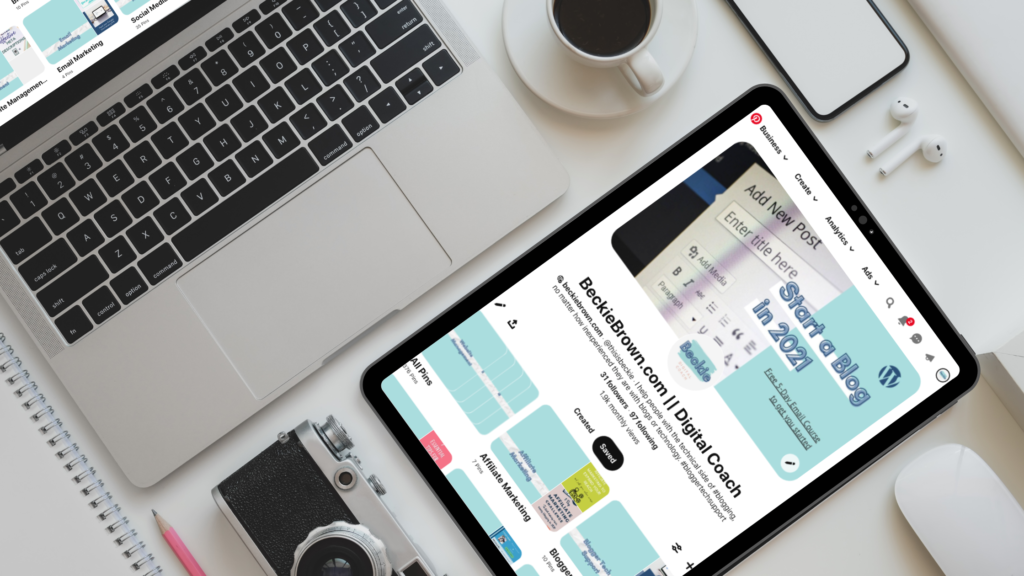
Business Pinterest Profile Page for @thisisbeckie
RELATED: How to Claim Your Site on Pinterest and Improve Your Engagement
How to Create a Pinterest Business Account
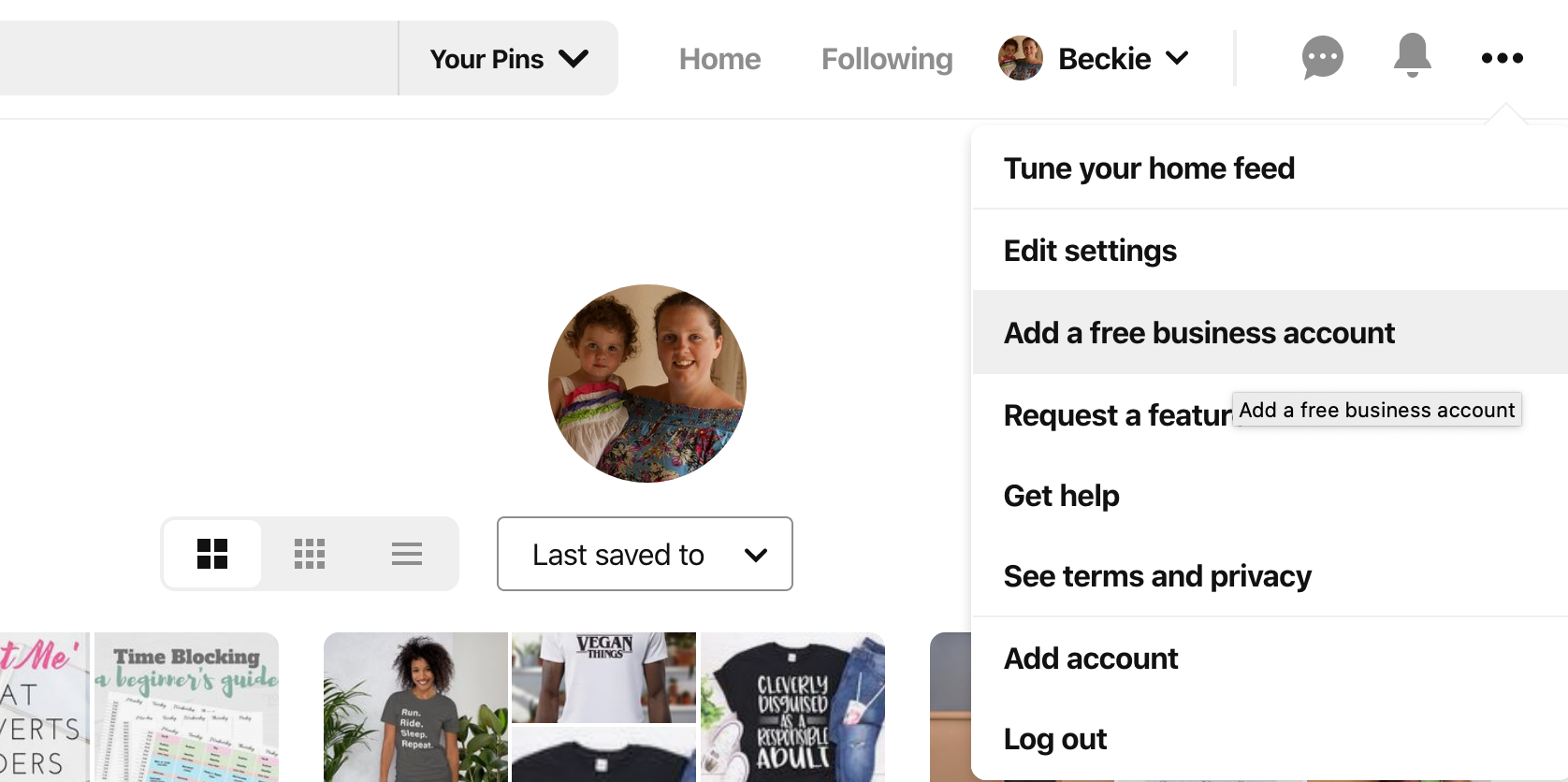
- If you already have a personal Pinterest account, you can click on your profile pic in the top right to see an option to Add a free business account. Alternatively, visit pinterest.com/business/create.
- Choose your language and location.
- Provide your business name and let Pinterest know what kind of business you are running; if your business type isn't listed, choose the one that best fits or has a similar business model to your own.
- Add your website URL and any relevant accounts: Etsy, Instagram, and YouTube. Don't worry; you can add these later if you don't have them set up yet.
- Pinterest may ask you if you plan to run ads, and dependant on the size of your business may provide contact details for a rep who can help you get started.
Well done, your Pinterest business account is created. A couple more steps will have you ready to start pinning:
- From the business hub, click the pencil icon beside your business name to get to the profile editor. Here you'll want to add a profile image. A square image is best; this will fit proportionally within the circular shape used to display your brand on Pins and on your profile page. Update any other profile information that is missing. Click Done to save.
- In the navigation menu on the left, click 'Claim'. This will take you to the page to claim your website, Instagram, Etsy, and YouTube accounts. Do Not Skip! Claiming your website is an important step in tracking all pins created from your site by you and your users/customers. I have a separate article for full details on the process of claiming your site with Pinterest.
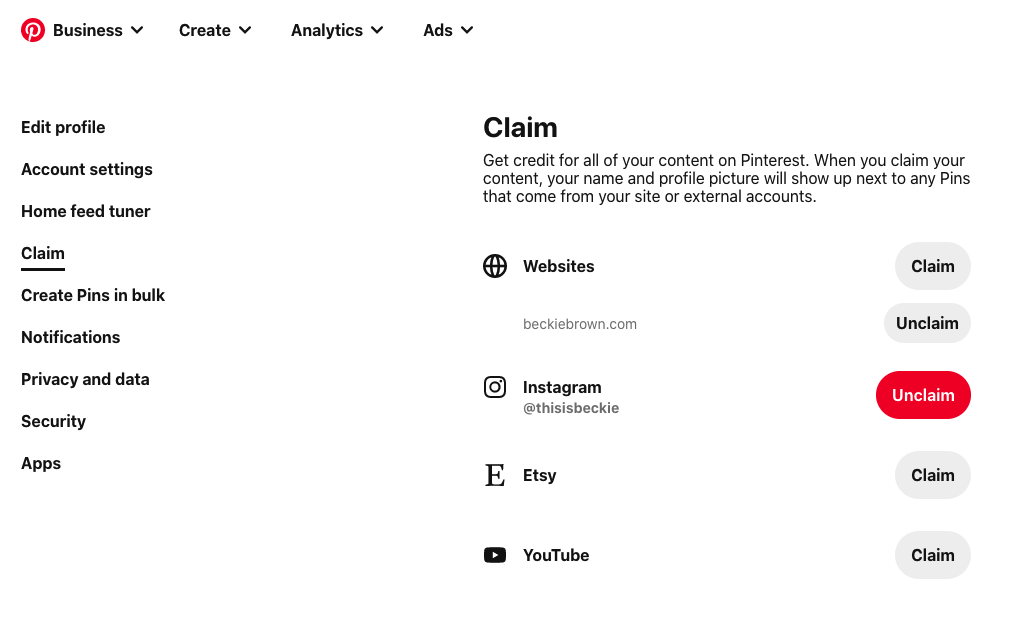 Go to Settings > Claim to access this page in your account
 - Start pinning! Try using a tool like Tailwind to batch schedule your pins in advance! You can find out more about Tailwind in my article: How to use Pinterest and Tailwind to Increase Your Blog Traffic
QUICK TIP! When creating your boards, make sure you choose a suitable category from the dropdown and write a clear, concise description using keywords relevant to your business! This will help with your Search Engine Optimization.
Related Reading
- How to Claim Your Site on Pinterest and improve your engagement
- How to Use Pinterest & Tailwind to Increase Traffic to Your Blog
- How to Turbocharge Your Pin Creation with Tailwind Create
Was this article helpful? Say Thanks with a Pin 📌